![Profile Image Teal-1.png]](https://www.glaciergrid.com/hs-fs/hubfs/Profile%20Image%20Teal-1.png?width=40&height=40&name=Profile%20Image%20Teal-1.png)
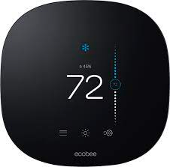
GlacierGrid has two models for thermostats:
 .
. 
Please take a look to ensure what model of thermostat you have. If you have Model 1 Ecobee (left) adjustments to your thermostat are made by the GlacierGrid support team. If you want to edit your set points please reach out to support@glaciergrid.com and our support team will edit your set points to your preferences.
If you have Model 2 GlacierGrid (right) you can edit your set points yourself. To do so, you must use the GlacierGrid Web App. Below are two options depending on whether you need to edit a single thermostat or make bulk updates:
GlacierGrid Web App
To edit set points on a single thermostat, follow the steps below:
-
Log into your GlacierGrid Web Dashboard.
-
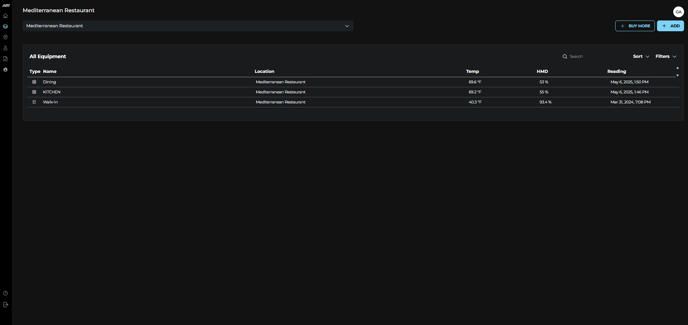
Navigate to the Equipment screen using the left-hand menu.
-
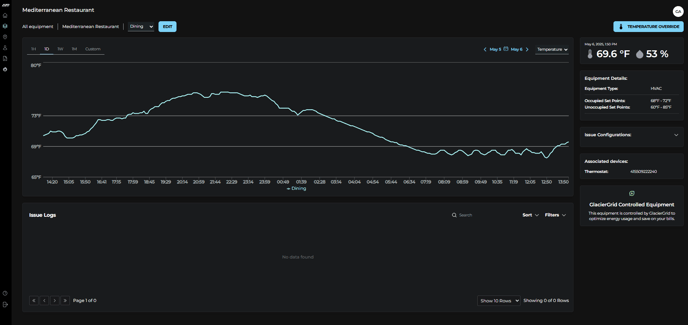
Click on the specific equipment you want to edit.
-
Click the Edit button next to the equipment name.
-
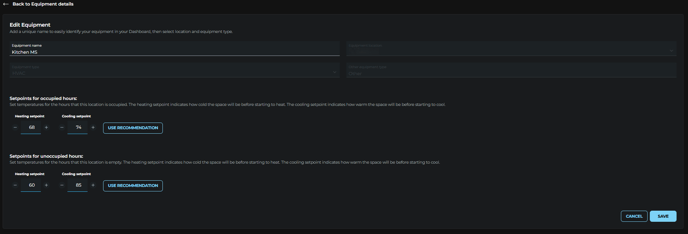
Make your desired set point adjustments.
-
Click Save to apply your changes.
To edit set points across multiple thermostats at once, follow the steps below:
- Log into your GlacierGrid Web Dashboard.
- Navigate to the Equipment screen using the left-hand menu.
- Click on Bulk Edit HVAC Equipment located in the upper-right corner.
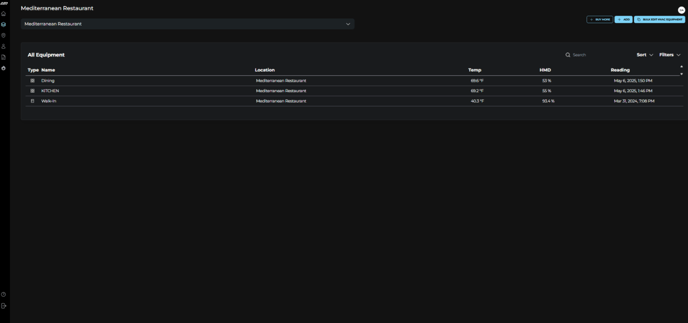
- Choose whether to apply changes at the Location Level or the Equipment Level.
-
Select the locations whose HVACs will be updated.
-
Select the specific HVAC equipment you want to modify.
-
-
Update the Heating Set Point (HSP) and/or Cooling Set Point (CSP) as needed.
-
Any set points that are left unchanged will remain as they are.
- Need more detail on heating and cooling set points: see this article.
-
- Click Save to apply your changes.

If you run into any issues editing your set points or unoccupied/occupied hours, please contact support@glaciergrid.com for assistance.