


What tools help facilities managers track refrigeration performance and reduce downtime?
A walk-in usually gives weeks of warning before it fails. Here are the three tools that make sure someone sees it in time.
Three tools, used together. A short walk-in check on every store visit catches what you can see. Temperature sensors in each box alert the right person when it drifts. One view across all your stores shows which box is struggling before it fails. The check covers the visit. The sensors cover every hour in between, including nights and weekends.
In this article:
- Why it's hard to see: how a walk-in fails slowly across many stores
- Tool 1: the 15-minute walk-in check
- Tool 2: temperature sensors with alerts
- Tool 3: one view across every store
- After the repair: how to know the fix held
Why refrigeration downtime is hard to see across many stores
Most walk-ins do not fail all at once. They work harder for weeks first. A gasket stops sealing and lets in warm, humid air. That moisture freezes on the coil, the frost blocks airflow, and the compressor runs longer to keep up. In the temperature data, the box takes longer to recover after each defrost or delivery, and its coldest point of the day creeps up. The store team notices when the product is warm. The facilities manager sees an emergency service call. By then the warning signs had been there for a while.
1. The 15-minute walk-in check
Five things to look at on every store visit:
- The thermometer matches the setpoint and the spec.
- The door gasket closes flat, with no light at the edges.
- The strip curtain is complete, and nothing is propped open.
- The evaporator fans are running and the coil is free of heavy frost.
- The door shuts and latches on its own, with no ice building up at the frame.
2. Temperature sensors with alerts
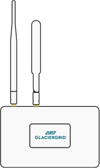
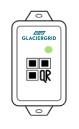
A thermometer is read only when someone looks at it. A sensor reports the box temperature all the time and sends an alert when it goes out of range and stays there long enough to matter, for example above 41°F for cold holding. Setting that duration keeps a door opened for a delivery from waking anyone up. The key setup choice is who gets the alert after hours. A door sensor on the walk-in can alert you when the door is left open longer than the time you set.
3. One view across every store
With every box reporting into one dashboard, you can compare stores side by side. Equipment graphs show each box's temperature over time, which makes slow drift easy to spot. If one walk-in runs warmer than the rest, or takes longer to come back down to temperature after a defrost or a delivery, fix it on a planned visit instead of an emergency call.
4. After the repair: did the fix hold?
A closed work order does not always mean a fixed walk-in. When monitoring connects to your maintenance system, every alert shows whether a work order is already open, plus the unit's age and service history. After the technician leaves, GlacierGrid checks the temperature data to confirm the repair actually held, for both HVAC and walk-in coolers and freezers. If it didn't, you know within a day, so you can send the technician back before paying for another visit.
How to start
Run the check at your next round of store visits. Put sensors in the stores where a failure costs the most, and watch for a few months. Most facilities teams don't have time to tune settings across 50 stores. That's the job of a GlacierGrid EMS Specialist: one named person for your HVAC and refrigeration who works the system on your behalf, so your team doesn't have to. To see it running in your own stores, book a meeting.